
The things you check every morning, on one page.
DashSuey is a personal dashboard. You add widgets, drag them where you want, resize them, and the layout saves to your account. Nothing to install.
Use the arrow keys to move this widget, Shift with an arrow key to change its size, and Delete to remove it.
Your turn
- Add a widget (not yet)
- Move one (not yet)
- Resize one (not yet)
Date
Weather
All three done
Add a widget
Drag or clickTap to addNothing moved yet.
This one lives in this tab. The real one saves to your account.
How it works on your own board
-
Add
Pick from 38 widgets, or start from a ready-made board and change it.
-
Drag
Move it anywhere on the grid. The cells are square, so widgets line up with each other.
-
Resize
Make it wider or taller. Each widget keeps its own settings.
-
It saves
The layout goes to your account as you work.
A capture from the app
Your board follows you between computers.
Your account keeps the widgets, where they sit and how each one is set up. The theme and the typeface are picked per browser, so a laptop can stay dark while the work machine runs CRT.
Nothing to install.
It's a web page you sign into at app.dashsuey.com. There is no browser extension to add and no phone app to download.
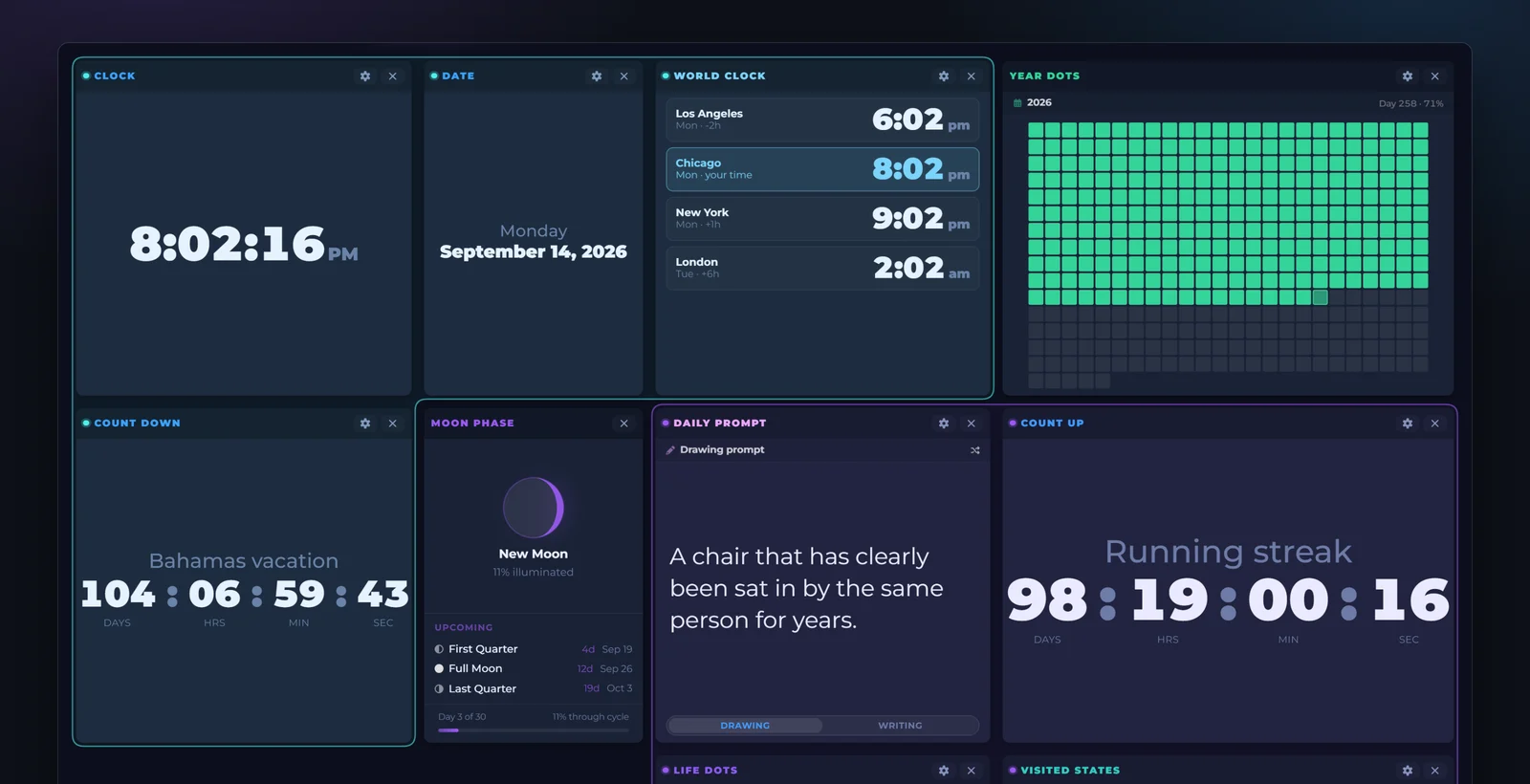
All 38 widgets
In the six groups the widget picker uses.
-
Time , 5 in this group
- Clock, try it on the board above
- Count Down, try it on the board above
- Count Up, try it on the board above
- Date, try it on the board above
- World Clock, try it on the board above
-
Weather & sky , 5 in this group
- Air Quality
- Forecast, try it on the board above
- Moon Phase, try it on the board above
- Sunrise & Sunset, try it on the board above
- Weather, try it on the board above
-
Reading , 7 in this group
- Daily Prompt, try it on the board above
- Daily Quote
- Hacker News
- News Feed
- Weird Fact of the Day
- Wikipedia
- Word of the Day
-
Developer , 7 in this group
- Claude Usage
- Core Web Vitals
- GitHub Contributions
- GitHub Trending
- Lighthouse
- Search Console
- Your IP Address
-
Personal , 9 in this group
- Life Dots, try it on the board above
- Reminders
- Search, try it on the board above
- Simple Table
- Sticky Note, try it on the board above
- Todo List
- Unit Converter, try it on the board above
- Visited States
- Year Dots, try it on the board above
-
Money & media , 5 in this group
- Album Wall
- Currency Rates
- Image Channel
- Social accounts
- Spotify
A dot marks the ones you can try on the board above.The Clock has a digital face and an analog face. News Feed takes any RSS address.
DashSuey is in beta, and this list can change. A widget that relies on another company's service may be paused while we fix a problem with it, or retired if that service changes its terms or stops giving us access.
What Pro adds
Free is a whole board. Pro is for when one board stops being enough.
- No cap on widgetsFree holds up to 10.
- Up to 5 boardsFree has one.
- Widget groupsGive a set of widgets a name and a color, and fold it away when you don't need it.
- A header that hides itselfMore of the screen goes to the board.
- 40 roadmap votesFree gets 10.
ProWidget groups

What gets built next is up for a vote
Anyone can read the roadmap. Voting on it takes an account, and the votes set the order. If you'd rather talk it through, there's a Discord.
A board of your own
Join the list
Invite only for now. We will email you when there is room.